Bring in artwork and base photos
Start from local assets or Printify design data, then keep the product photo and artwork together in one Mac-native workspace.
Photorealistic mockups for solo POD creators
Create credible product mockups that follow the base photo's lighting, texture, and curvature, with Printify-aware placement and Mac-native export controls.
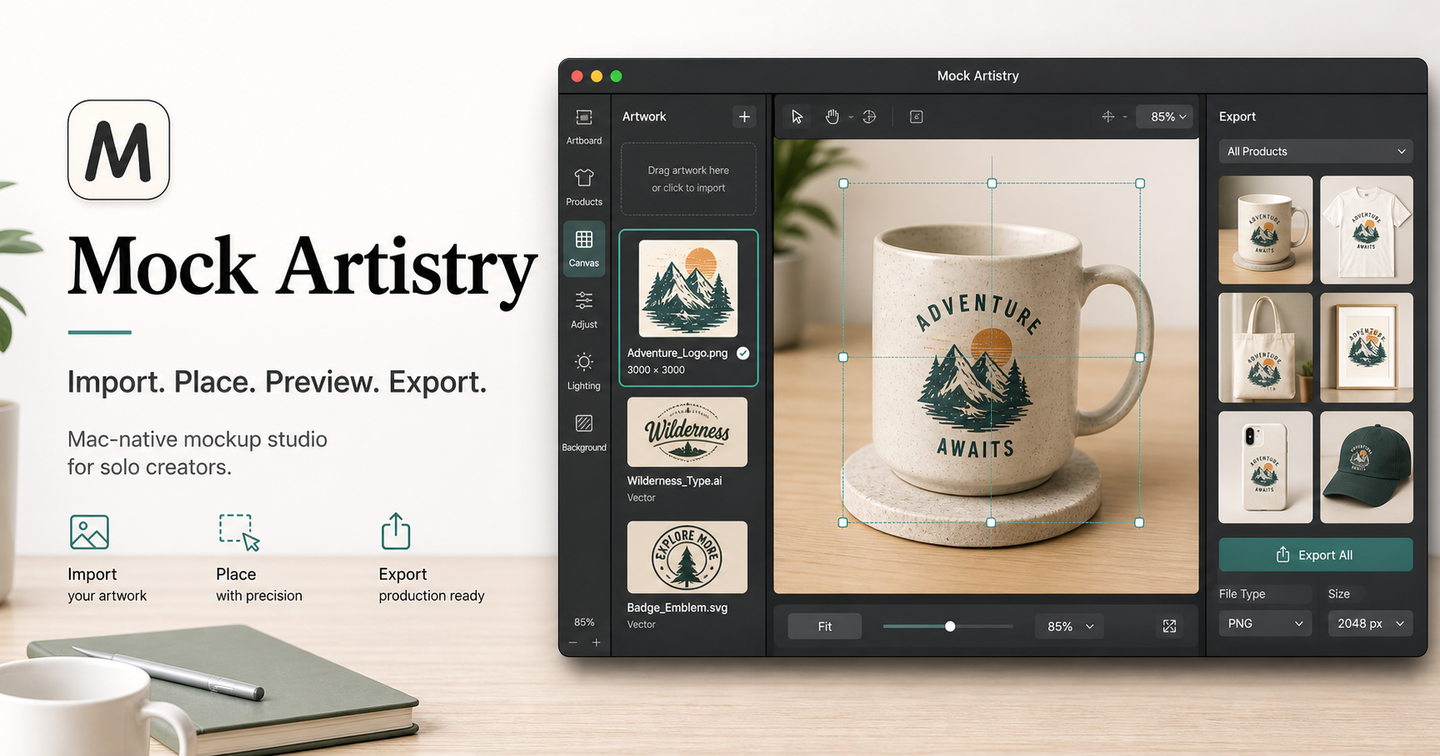
Realism workflow
Direct uploads and Printify-informed designs converge into the same calibrated placement model, so sellers can move from artwork to credible product imagery without Photoshop layer work.
Start from local assets or Printify design data, then keep the product photo and artwork together in one Mac-native workspace.
Tune placement against the product's visible surface, lighting, texture, and curvature instead of settling for a flat overlay.
Check the photorealistic mockup, adjust alignment, then export single or batch assets for listings or client review.
Printify-aware realism
Mock Artistry treats Printify blueprint, provider, print area, and placeholder data as calibration context. It helps creators map artwork accurately onto visible product regions without implying product publishing or store management in this launch phase.
Why it matters
Adjust lighting, texture, curvature, and placement so artwork belongs on the product photo.
Track the active design, mockup base, print area, and realism settings without decorative noise.
Prepare single or batch exports from the same calibrated placement model.
Export outcomes
Import artwork, tune Printify-aware realism, preview the product mockup, and export listing-ready images from one focused workspace built for the solo creator.
Early access
Tell us what you create and where flat mockups fall short today. This form is for launch interest only, not an account signup.